



Contacts let you securely store information about people in your Contact Book. You manage all contact information directly, and you can include as much or as little detail as you want – only a first and last name is required.
You can create, edit, and delete contacts at any time.
What Sort of Contacts Should I Have?
A contact is someone whose information you want to keep but who doesn’t need access to your folders or records. Common types include:
- Trusted Party (Professional): Lawyer/Solicitor, Accountant, Financial Advisor, Business Partner.
- Trusted Party (Personal): Family (Spouse, Child, Sibling, etc), Friends.
- Important Contacts: Emergency contacts, Next of Kin, Doctor, Dentist, and general contacts.
Creating a Contact
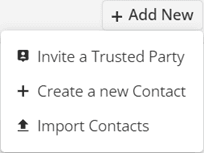
To create a Contact, go to the Contact Book and click the ‘+ Add New‘ button in the top right, then select ‘+ Create a New Contact‘.
Fill out the form that appears. You only need to enter a first and last name to create the contact – all other fields can be completed later.
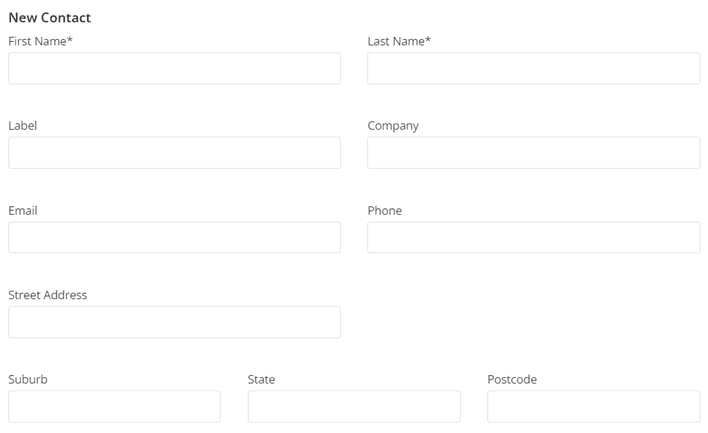
You will not be able to submit the form without completing both name fields. If you’re unsure of either name, just enter a single letter or number as a placeholder and update it later.
Contacts require unique emails. All Contacts must have a unique email address (if they have one) to ensure proper sorting and management. This also applies to Trusted Parties.
Editing a Contact
To edit a Contact, select their name from the left panel to display their details:

Once their details appear in the right panel, click the ‘… Options‘ button and select ‘Edit Information‘ from the menu:
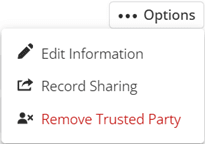
The process is the same as creating a Contact – edit the information as needed and click ‘Save‘ when finished.
Deleting a Contact
To delete a Contact, click ‘Delete Contact‘ from the ‘…Options‘ menu:
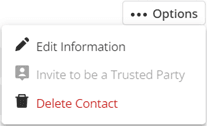
Deleting a Contact is permanent – all data stored within that Contact will be lost and cannot be retrieved.
Inviting a Contact to be a Trusted Party
If a Contact has an email address, you can invite them to be a Trusted Party. Select the Contact you want to invite and click ‘Invite to be a Trusted Party‘ from the ‘… Options‘ menu. Confirm the invitation when prompted, and it will be sent automatically. No further action is required from you.