



You can import all your contacts into the platform, whether manually adding them one by one or bulk uploading a file.
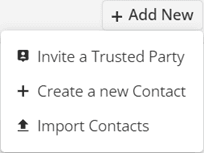
To import contacts, go to your Contact Book, click ‘Add New‘ and select Import Digital Accounts.
You can either bulk import from a CSV file or add contacts manually one by one.
For CSV uploads, ensure the format is correct by clicking ‘Download Template‘ to get a pre-formatted file.
As you import contacts, you can edit their Name, Email, Phone, and Label. When you’re satisfied with the information, click ‘Create Contacts‘ to finalise them. Each set of information will be added as a Contact in your Contact Book.