



Record Sharing enables you to securely share Vault information with your Trusted Parties. You can share records individually or share an entire tag, which applies the same permissions to all records within that tag.
When sharing, your information is just as secure! We have developed a unique encryption model that allows us to maintain the same level of security and privacy even when your records are being shared with your Trusted Parties. Sharing provides your Trusted Party with access to view your record and the ability to decrypt it but does not compromise the security in any way.
How to Share
Sharing can be accomplished in two ways: directly from a record in your Vault or directly from a Trusted Party in your Contact Book.
- To share multiple records with one person, it’s typically easier to work through the Contact Book.
- To share a single record with multiple people, it’s typically easier to work through the Vault.
Permissions
Permissions refer to the level of access you grant to your Trusted Party.
By default, nothing within your Vault is shared.
You can assign the following permissions to records or tags:
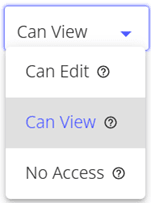
- Edit: Your Trusted Party can modify the record’s content but cannot change its category/tag or access settings.
- View: Your Trusted Party can see the record but cannot make any changes.
- No Access (Record Only): Your Trusted Party is explicitly prevented from viewing this record, even if its associated tag has been shared. This does not prevent the record from being included in your Legacy.
- Confidential: The record(s) will never be shared under any circumstances.
Please be mindful when sharing a tag. Records automatically inherit the same sharing permissions as their tag, unless you have individually modified a record’s permissions.
When sharing a tag, verify that you are comfortable with all records within that tag receiving identical permissions.
You can change or remove permissions for shared records or tags at any time.
To change record permissions, open the shared record and navigate to Settings > Sharing. This displays the current permission level and all Trusted Parties with access. From here, you can remove permissions entirely or change them to Edit, View, or No Access.
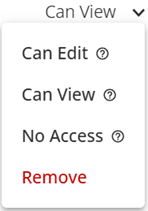
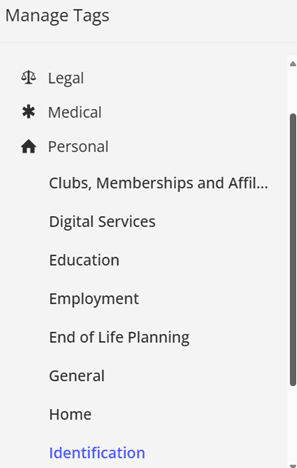
To change Tag permissions, navigate to your Vault and click ‘Manage Tags‘. Locate the relevant tag in the left panel and select it to view its current permissions. You can then change or remove permissions as needed.
Sharing Through the Vault
If you know which specific record(s) to share, open the record and access Share With by clicking the ‘Change’ button:

Navigate to the Sharing tab where you can search and select Trusted Parties, plus view a list of any Trusted Parties who currently have access to the record:

From this screen, search for the Trusted Party you want to share with and choose their access level:
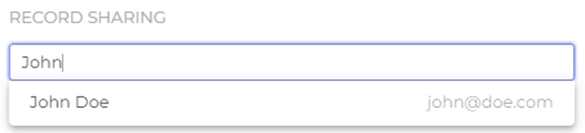
When satisfied with your selections, click the ‘Add‘ button to complete the process.
The Trusted Party will now appear in the list, where you can change or remove their access using the dropdown menu:
If you would like to share a whole tag instead of an individual record, you can follow the same process by accessing the settings of the tag instead.
Sharing Through the Contact Book
Sharing through the Contact Book enables you to quickly share multiple records with one Trusted Party. To do this, go to Contacts, choose the desired Trusted Party, and select ‘Record Sharing‘ from the Options menu:

You will see a screen displaying all tags and records currently shared with that Trusted Party:
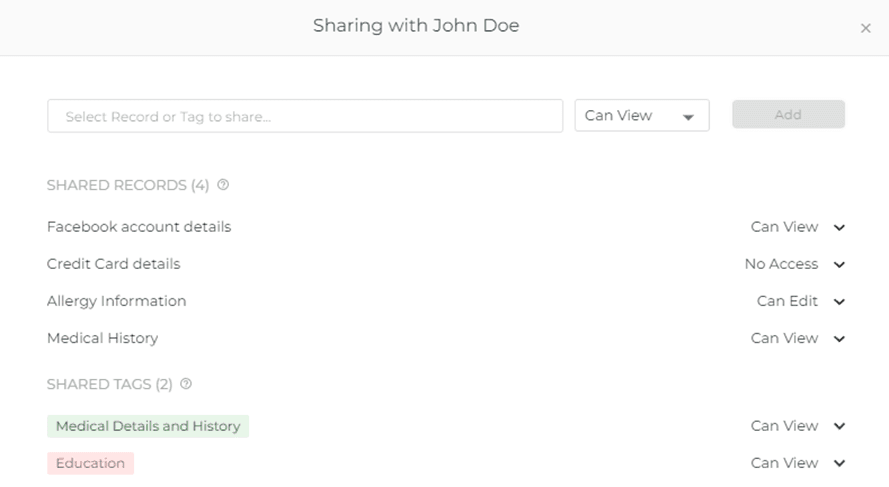
To share a record or tag, search for it by name in the input field, select the desired record or tag, then choose the permission level from the dropdown menu:
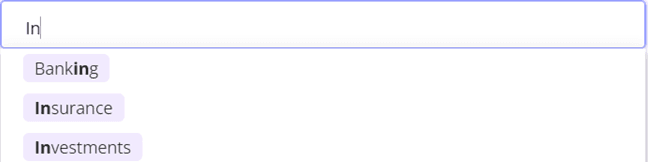
Click ‘Add‘ when ready to share the item.
The record or tag will now appear in the shared items list, where you can modify your Trusted Party’s access to that item as needed.
Access Shared Records
You can access shared records through the Sharing section in the left navigation menu.
The Sharing section provides an overview of records shared with you and those you have shared with Trusted Parties. It displays a comprehensive list of all shared records between you and your Trusted Parties:
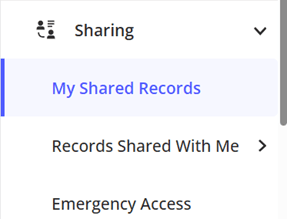
You can filter records by specific Trusted Parties and select any record to navigate directly to it in the Vault, where you can view and modify the record permissions. Additionally, you can access any Legacy Plans and Emergency Scenarios shared with you through the Emergency Access section under Sharing.